arrow-progressPipelines

Learn about SRE.ai's Pipelines feature

Overview

Pipelines provides users with a workflow builder that maps how code moves from development through production.

Pipelines are rooted in repositories.

circle-info

The functionality of Pipelines is informed by best practices for release management. Read SRE.ai's release strategies documentation for more information.


Core capabilities

Templates

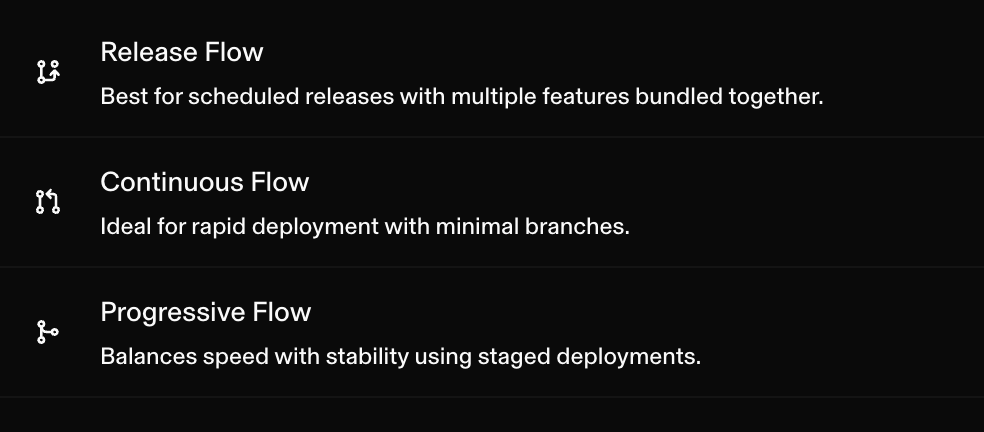
SRE.ai Pipelines feature offers three preset templates, known as release management strategies:

  • Release Flow

  • Progressive Flow

  • Continuous Flow

Templates cannot be edited.

Templates consist of stages.

Stages

A stage is a highly customizable block that represents a discrete phase in your deployment lifecycle.

circle-check

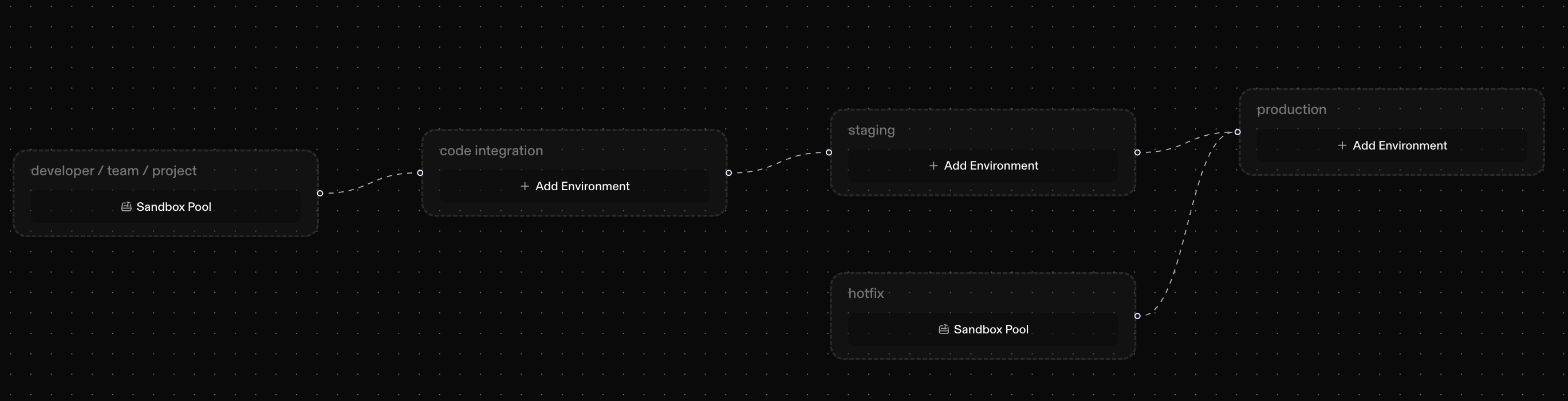
SRE.ai's Pipelines feature supports five customizable stages:

  • developer/ team/ project

  • code integration

  • staging

  • production

  • hotfix

The standard Pipelines' progression flows left to right.

An example of a Pipelines' flow:

  • developer/team/project → code integration → staging → production.

Environments

Environments are deployment targets within a stage.

Each environment:

  • Maps to a Salesforce org (your Production org, Sandbox, or Scratch Org)

  • Tracks deployment status and history

  • Can be promoted to parent stage environments

Salesforce org connections

Salesforce org connections represent your actual Salesforce organizations that SRE.ai deploys to.

SRE.ai supportds two types of Salesforce orgs connections:

  • Regular Orgs:

    • Traditional fixed Salesforce orgs (Production or Sandbox) that can be assigned to specific branches.

  • Sandbox Pool Orgs:

    • Tied to PRs instead of specific branches. These orgs best serve developer workflows.


How it works

Template details

Release management strategies are tailored for specific release cadences.

  • Release Flow

    • For scheduled releases with formal QA processes

chevron-rightClick to learn more about the Release Flow templatehashtag
circle-check

Featured stages:

  • Production: Live environment (maximum 1 environment)

  • Staging: Pre-production validation (multiple environments allowed)

  • Code Integration: Feature integration and testing

  • Developer / Team / Project: Individual development work with sandbox pools

  • Hotfix: Emergency production fixes (maximum 1 environment, sibling to Production)

Branch configuration:

  • Each stage (except Developer) typically has a dedicated long-lived branch

  • Developer stages use PR-driven sandbox allocation (no fixed branch)

  • Promotion path: Feature branches → Code Integration branch → Staging branch → Production branch

How it works:

  1. Developers work in feature branches from developer sandboxes (PR-driven)

  2. Features merge to the code integration branch for testing

  3. Integrated changes are promoted to staging for validation

  4. Staging changes are promoted to production on the release schedule

  5. Hotfixes follow a separate pathway directly to production

  • Continuous Flow

    • For rapid deployment and continuous delivery

chevron-rightClick to learn more about the Continuous Flow templatehashtag
circle-check

Featured stages:

  • Production: Live environment (maximum 1 environment)

  • Staging + Integration: Combined staging and integration (multiple environments allowed)

  • Developer / Team / Project: Individual development work with sandbox pools

Branch configuration:

  • Main branch serves both staging and integration purposes

  • Developer stages use PR-driven sandbox allocation

  • Promotion path: Feature branches → Main branch → Production

How it works:

  1. Developers work in feature branches from developer sandboxes

  2. Features merge directly to the main branch (staging + integration)

  3. Changes automatically deploy to production after validation

  4. Simplified hierarchy for faster deployment cycles

  • Progressive Flow

    • For staged validation with enhanced quality gates

chevron-rightClick to learn more about the Progressive Flow templatehashtag
circle-check

Featured stages:

  • Production: Live environment (maximum 1 environment)

  • Staging + Integration: Combined validation stage (multiple environments allowed)

  • Developer / Team / Project: Individual development work with sandbox pools

Branch configuration:

  • Similar to Continuous Flow with enhanced quality gates

  • Emphasis on progressive validation through stages

  • Promotion path: Feature branches → Main branch → Production (with stricter gates)

How it works: Similar to Continuous Flow but with additional validation gates and manual promotion controls between stages. This provides more deliberate control over what reaches production.

How branches map to pipeline stages

Each stage can be configured to connect to a specific branch in your repository.

When you configure a stage, you select which branch it tracks and which Salesforce environment(s) it deploys to.

A typical setup might look like this:

Stage
Branch
Environment(s)

Development

develop

Developer sandboxes

Integration

integration

QA sandbox

Staging

staging

UAT sandbox, SIT environment

Production

main

Production org

You can connect multiple Salesforce orgs to a single branch.

As changes move through the pipeline, they can be deployed to one org or several, whichever fits your release process.

circle-info

Note: Selecting a branch in a pipeline stage doesn't trigger a deployment on its own. The branch selection indicates where SRE.ai should look for changes and where to commit metadata. Deployments happen when you explicitly move changes through the pipeline.

Deployment workflow

SRE.ai executes a structured workflow when you initiate a deployment:

  1. Confirm Change: Verify which change (feature or fix) to deploy

  2. Confirm Target Org: Auto-detect or select the deployment target based on the stage hierarchy

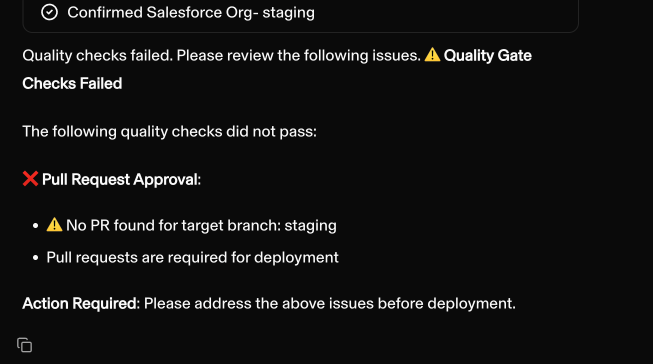
  3. Check Quality Gates: Run automated quality checks against stage requirements

  4. Deploy: Execute deployment to the target Salesforce org if all gates pass

  5. Summarize Issues: If quality gates fail, provide a detailed issue summary for remediation

This workflow ensures that every deployment meets your quality standards before it is deployed to your Salesforce environments.


Setup

Initial setup

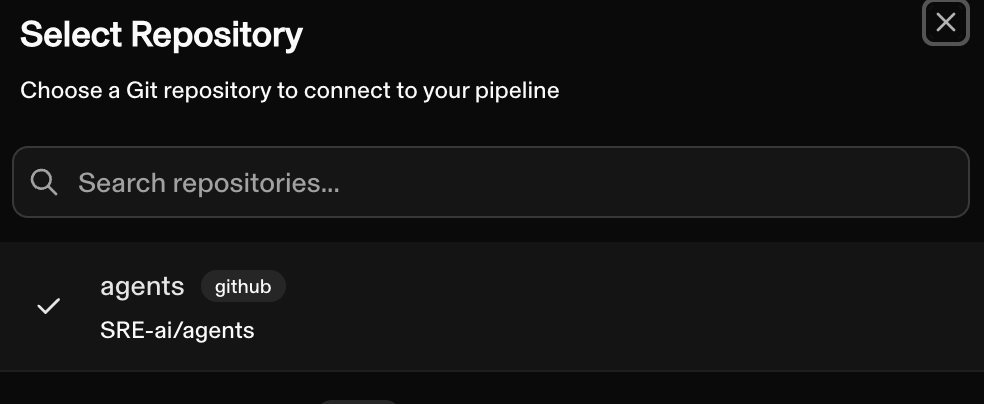
Setting up a pipeline requires two steps:

  1. Select a repository to connect to

  1. Select a template

Customization

The following three stages share the same customizable attributes

  • Code integration

  • Staging

  • Production

Read below to learn about their customizable attributes

Branch association

Each stage can track a specific Git branch.

Staging might track a "qa" branch while production tracks "main."

The branch indicator appears in the stage card's upper right corner

Environment mapping

The environments section shows which Salesforce orgs receive deployments when changes reach this stage.

You can search existing environments or add new ones. Multiple environments can be mapped to a single stage for scenarios like parallel QA testing.

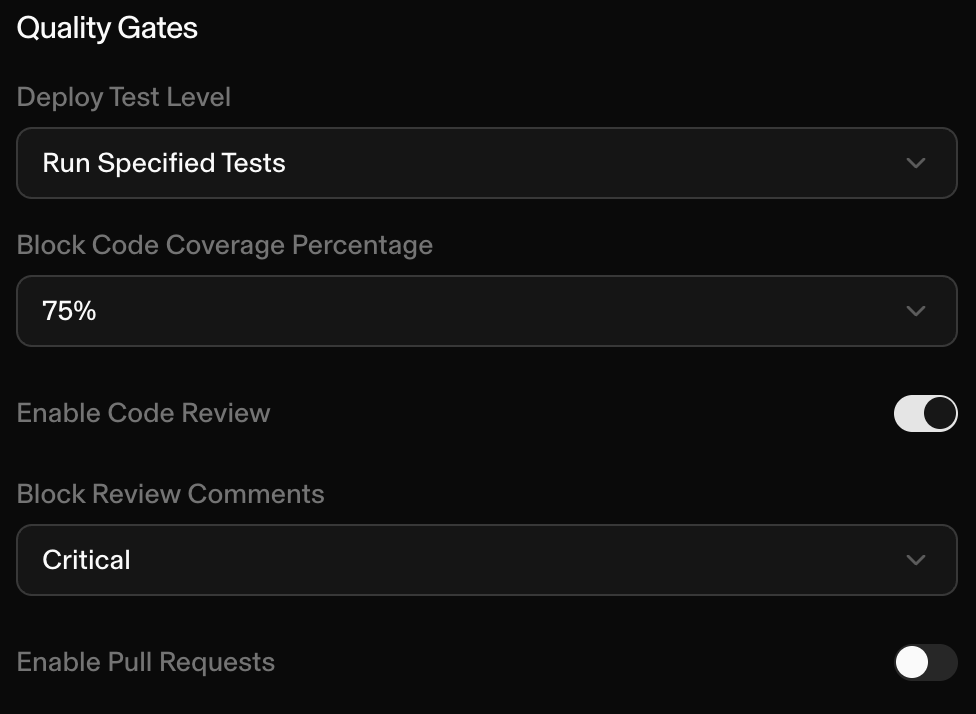
Quality gates

Configured at the stage level, quality gates define the criteria that must be satisfied before changes can advance.

circle-check

Quality gates are enforced when the user attempts to move changes along the pipeline through chat.

Pipeline reset

Resetting a pipeline requires clicking on a production stage's details to click "Reset Pipeline"

Last updated